






 CNET · Best Party-Planning Apps
“Best all-in-one party planner”
CNET's expert reviewers tested the top party-planning apps and picked Pro Party Planner as the winner — the one app that does it all. Also featured by the App Store, The Wall Street Journal, Reuters and Mashable.
Party planned in three steps
From blank slate to celebration — most planners have a full plan on day one.
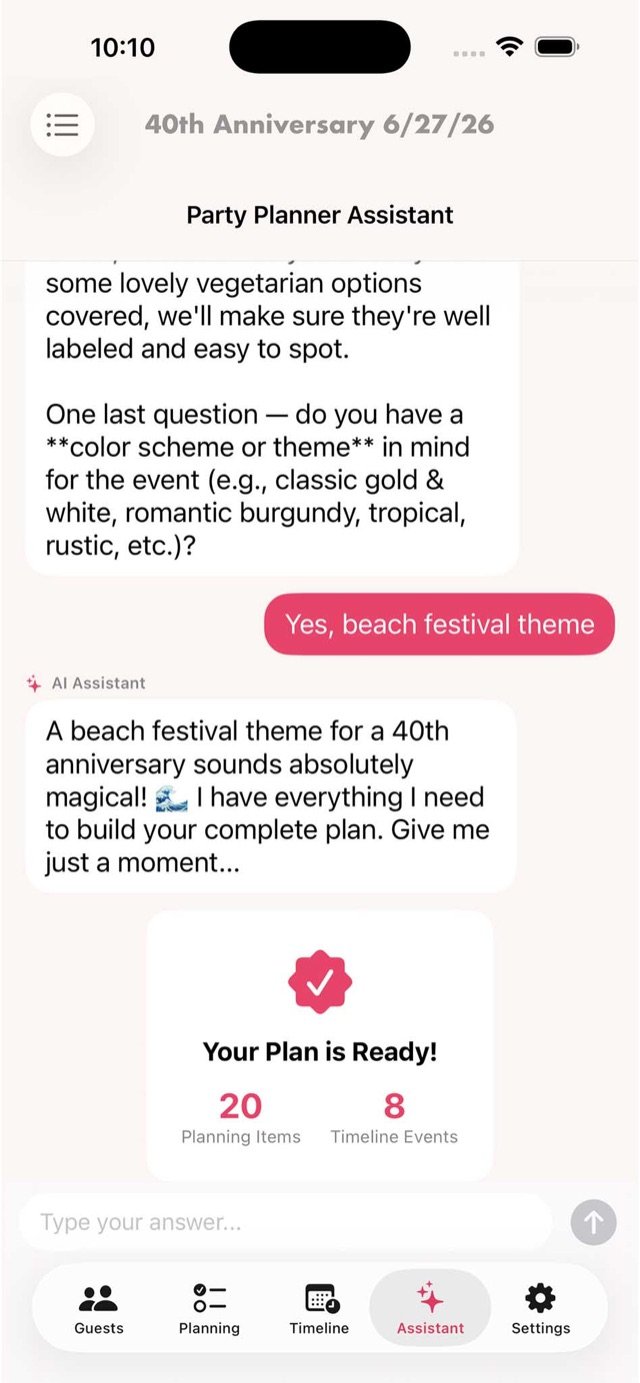
Describe your party
Answer a few questions and the AI assistant builds your complete plan — tasks, timeline and ideas.
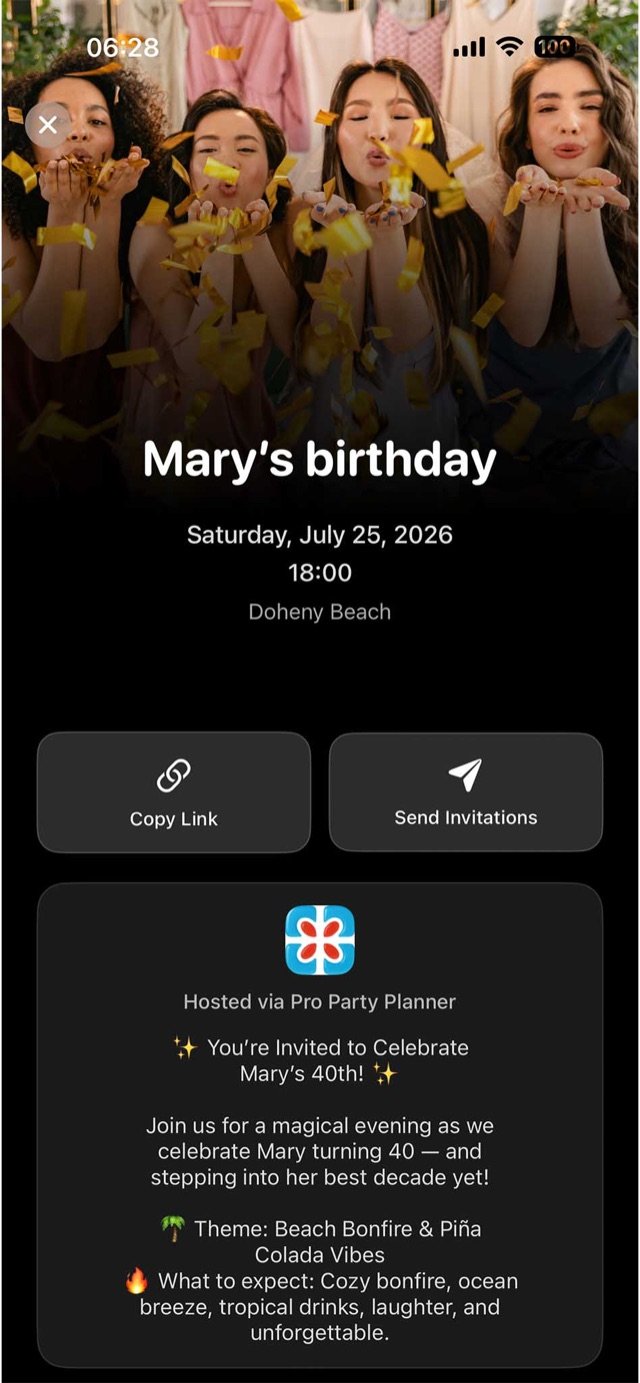
Invite your guests
Share one link. Guests RSVP from any device — no app needed on their side — and your list updates live.
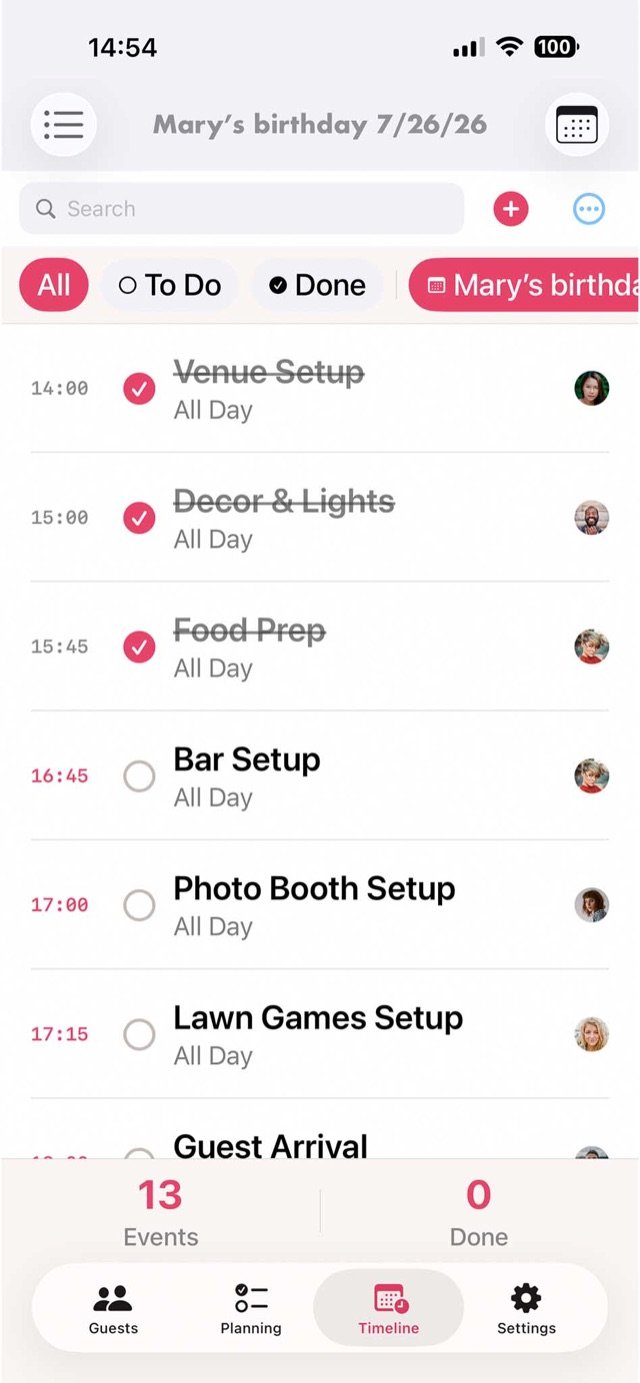
Enjoy party day
A minute-by-minute timeline with reminders keeps setup, helpers and surprises exactly on schedule.
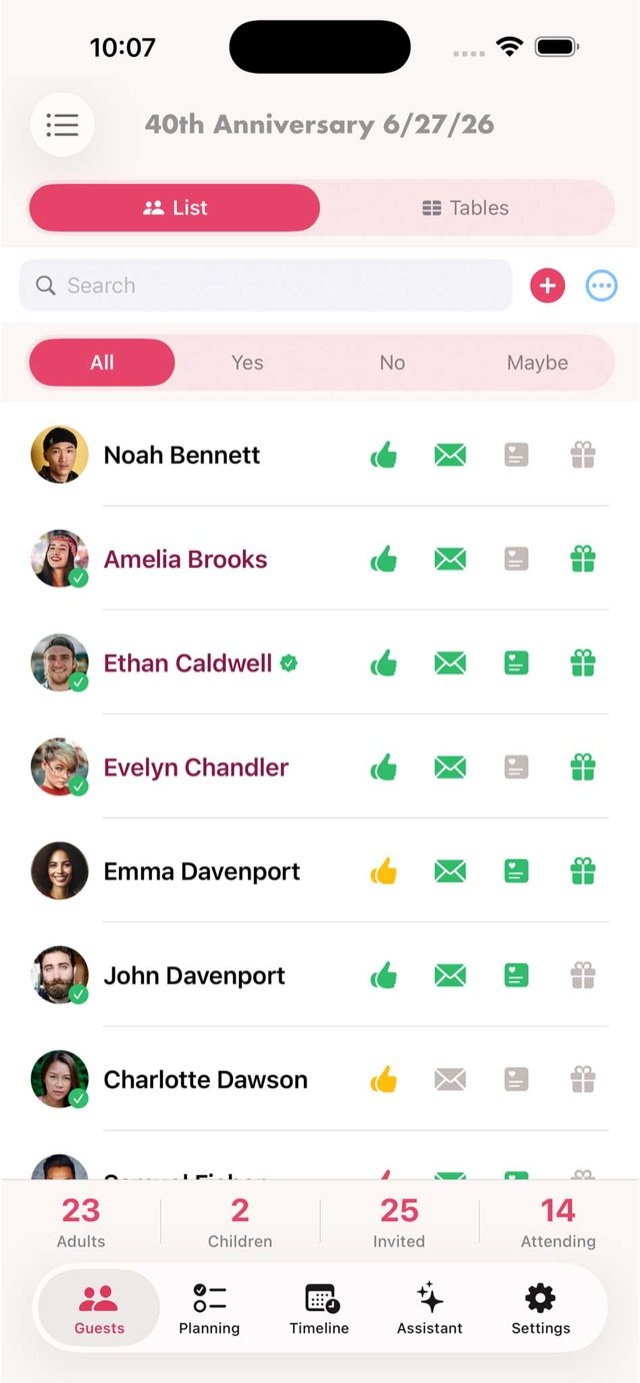
From first idea to final toast
One app carries your party from brainstorm to celebration — no spreadsheets, no group-chat chaos.
Plan with AI, in minutes
Answer a few questions about your event and get a complete, editable plan — planning items, timeline events, ideas and reminders, tailored to your theme.
- Complete plan generated from a short chat
- Theme, menu & decoration suggestions
- Every item lands in your lists, ready to edit
Invite guests & collect RSVPs
Share a beautiful invitation link — guests reply from any device. No sign-up, no app download needed on their side.
- Gorgeous invitation pages with photo & details
- Real-time yes / no / maybe tracking
- Meals, plus-ones and notes captured automatically
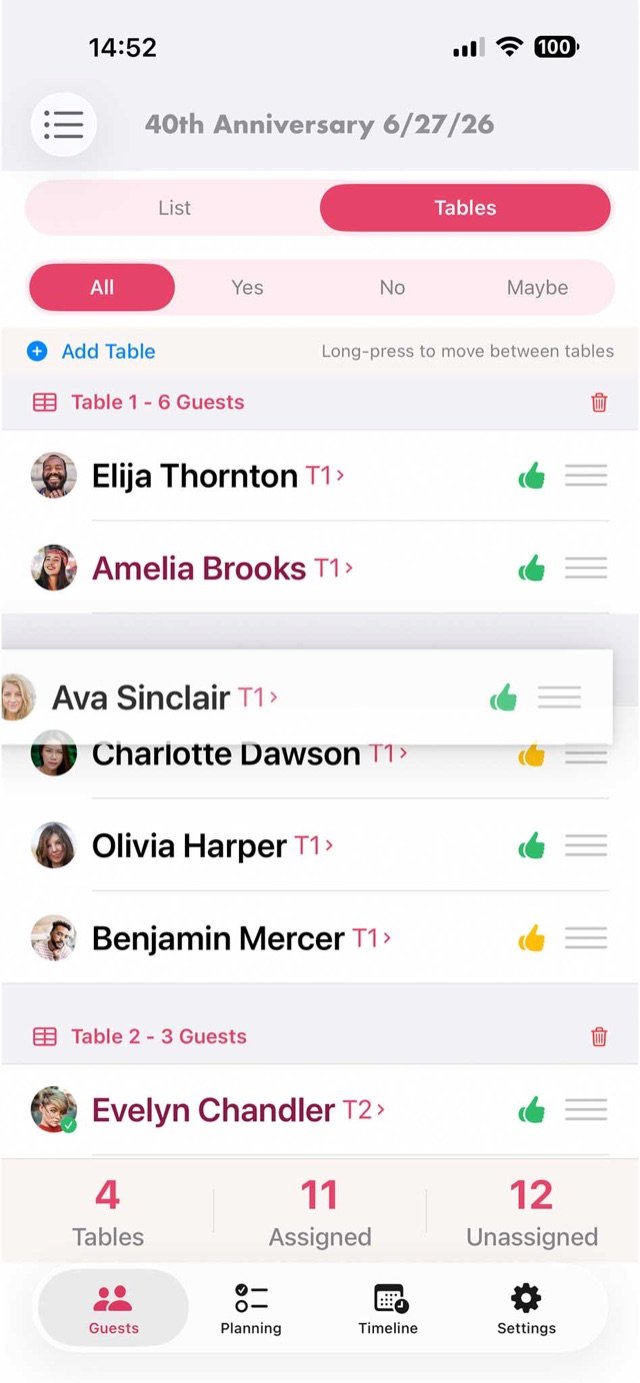
Seat guests with drag & drop
Create tables and move people in seconds. See who's confirmed at a glance and keep every table balanced — even when plans change last minute.
- Unlimited tables, instant re-seating
- RSVP status right on the seating chart
- Assigned vs. unassigned always visible
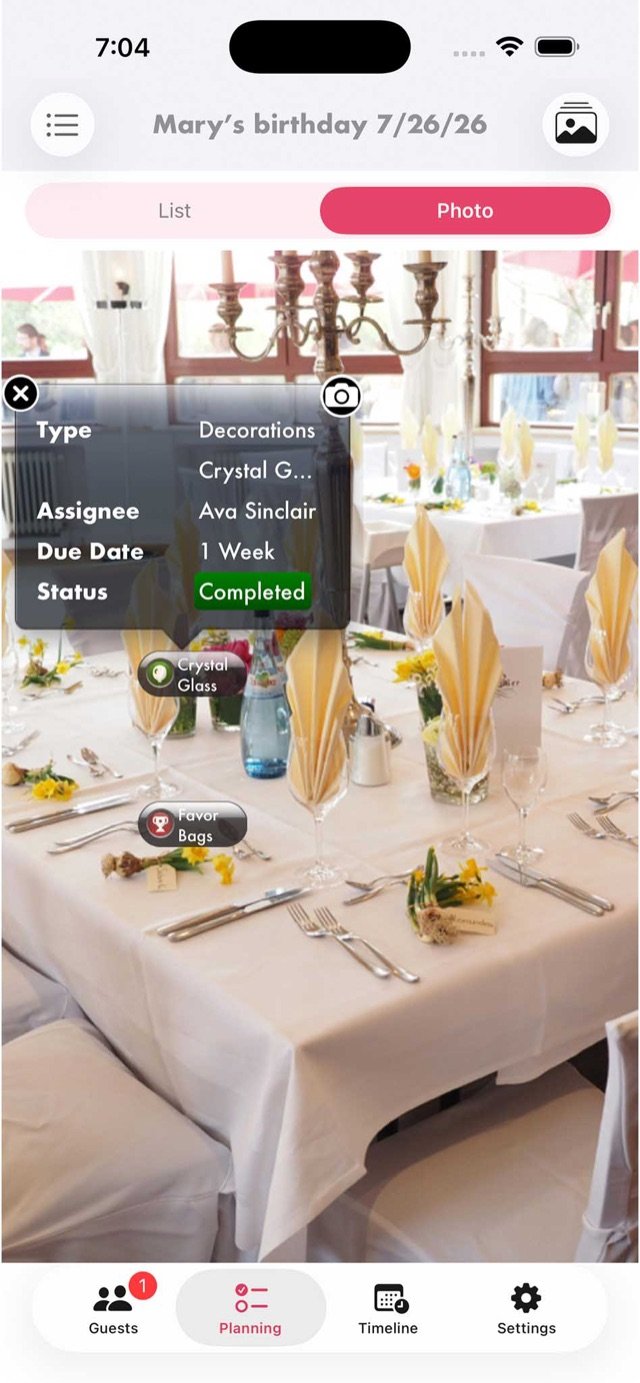
Decorate your venue before party day
Snap a photo of your space and place decorations, tables and to-dos right on the picture — so you can see how everything will look without moving a thing.
- Pin planning items onto photos of your venue
- Assignees, due dates & status at a glance
- Organize multiple spaces per event
One app, all your occasions
Keep every event in one place — switch between parties without losing a detail.
Birthdays
Anniversaries
Baby showers
Graduations
BBQs & pool parties
Holiday dinners
Corporate events
Fundraisers
Every detail, handled
Guest management
Import from contacts, track adults & children, dietary needs and gifts — all in one list.
Smart shopping lists
Items organized by store department so you never miss a thing on party-run day.
Timeline & reminders
A minute-by-minute schedule with automatic reminders for every impending task.
Budget tracking
See spend against budget in real time — per item, per category, per event.
Collaborate & delegate
Invite co-hosts, assign tasks and watch progress update for everyone, live.
Every occasion
Birthdays, anniversaries, showers, fundraisers, meetings — plan them all side by side.
Questions, answered
Do my guests need to download the app?
No. You share an invitation link and guests RSVP from any device — iPhone, Android or computer — with no app download and no sign-up on their side.
Is Pro Party Planner free?
The app is free to download on the App Store, so you can start planning right away and see everything it does before spending anything.
Which devices does it work on?
Pro Party Planner is designed for iPhone and iPad, with layouts tailored to each. Your events sync so you can plan on whichever device is in reach.
Can I plan more than one event at a time?
Yes — keep birthdays, showers, holiday dinners and fundraisers side by side, each with its own guests, tasks, budget, timeline and seating.
Can other people help me plan?
Invite co-hosts, delegate tasks to them and watch progress update for everyone in real time — perfect for planning with family, friends or a committee.
Your next party starts here.
Download free and have your first plan ready in minutes.

On your computer? Point your iPhone camera here to install.
CNET Award Winner · Free download · iPhone & iPad