






From idea to done in three steps
No more guessing what to do first — your complete plan is ready in seconds.
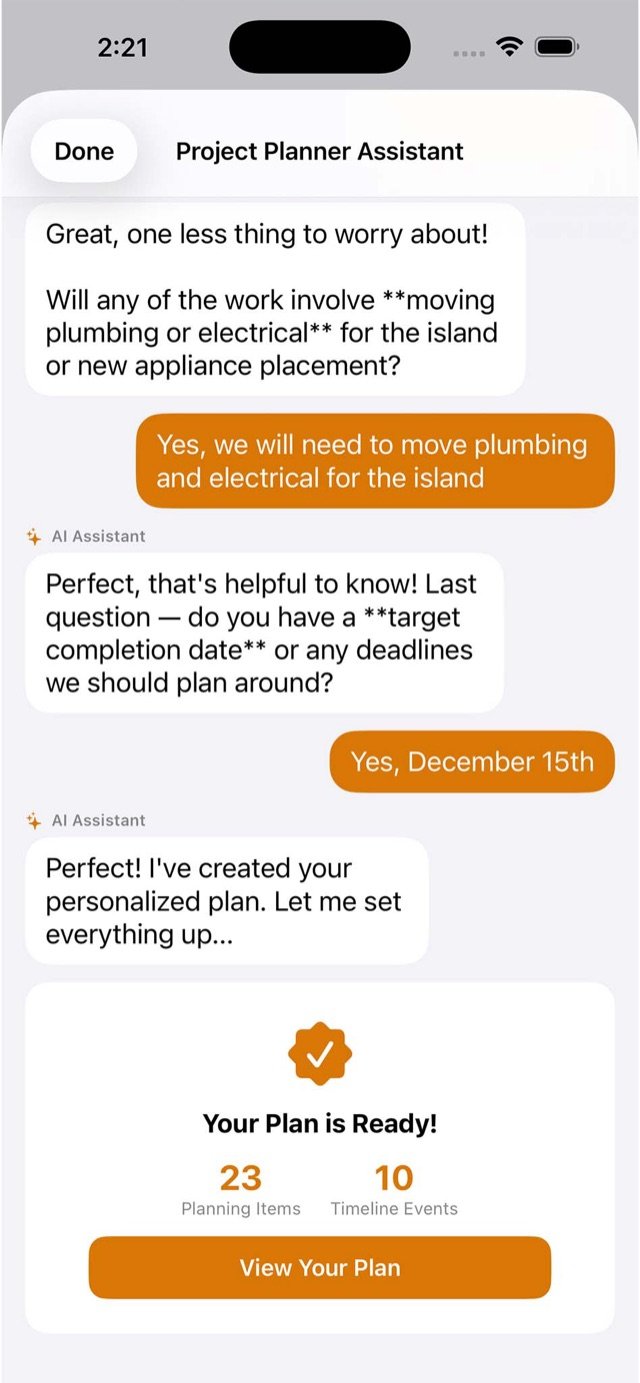
Describe your project
Answer a few questions — the AI planner builds a personalized task list and timeline, from demolition to final inspection.
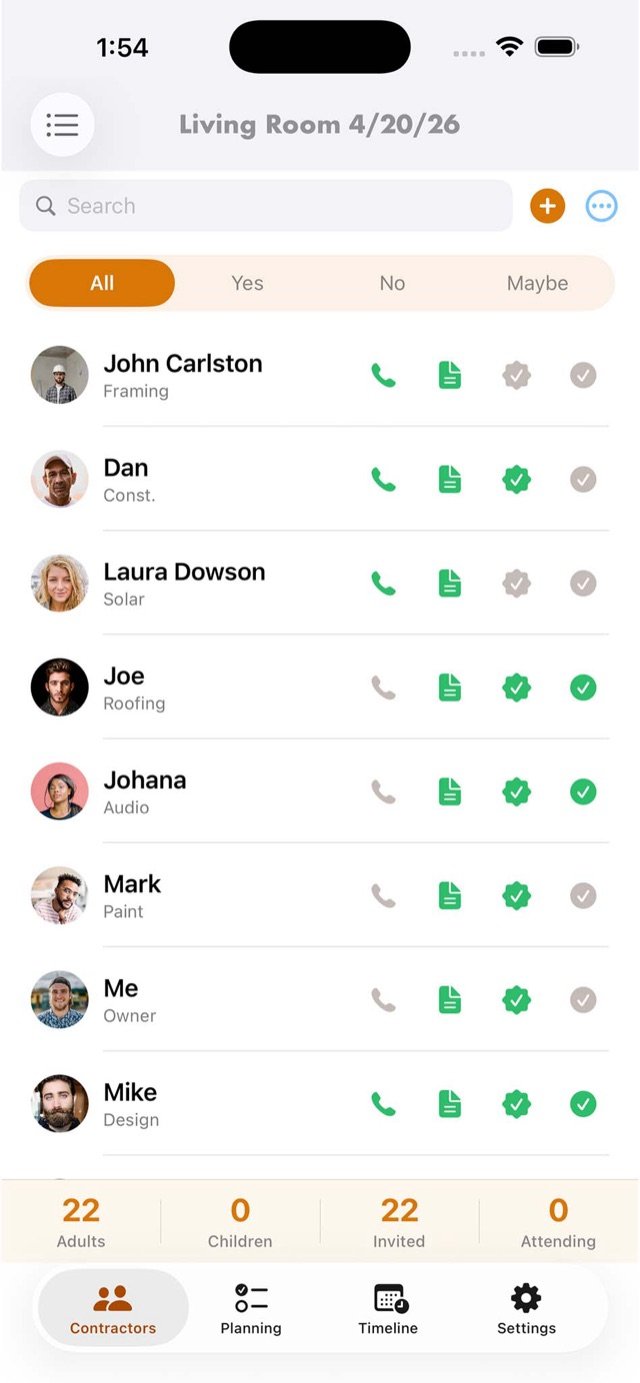
Assemble your team
Store quotes, compare contractors, and reach them by call, text or FaceTime — everyone stays aligned.
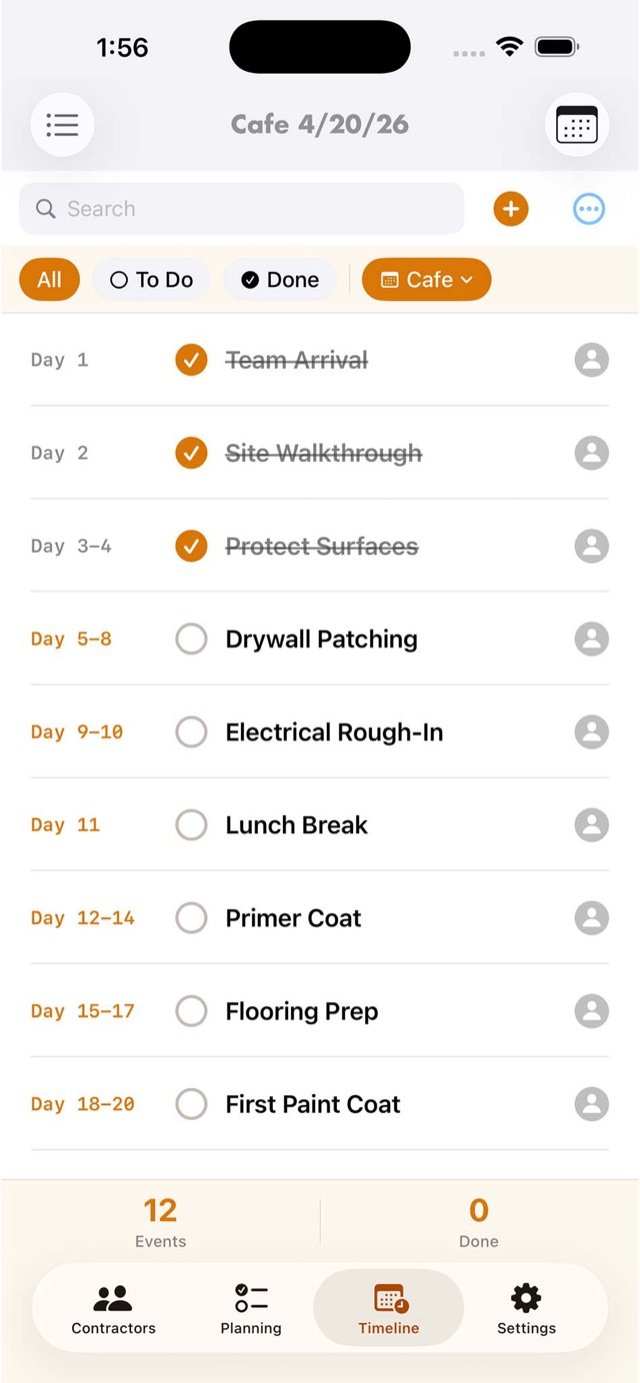
Build on schedule
A day-by-day timeline tracks every phase — know what's done, what's next and who's responsible.
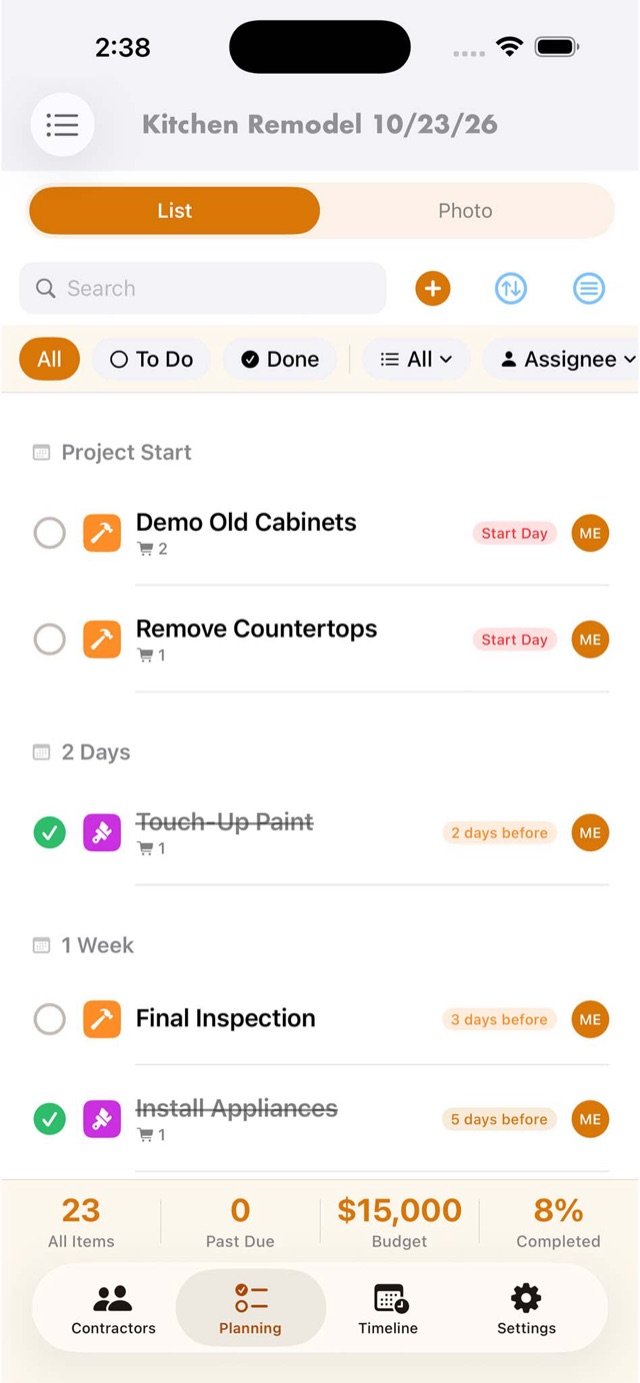
From demo day to final coat
Move faster, avoid costly mistakes and stay on schedule — with every detail in one app.
Your project roadmap, in seconds
Let the built-in AI do the heavy lifting. It asks the right questions — plumbing moves, deadlines, budget — and delivers a complete, customizable plan.
- Instant task list & timeline for your project
- Knows renovation — asks about electrical, permits & deadlines
- Fully customizable to fit your needs
See it done before you start
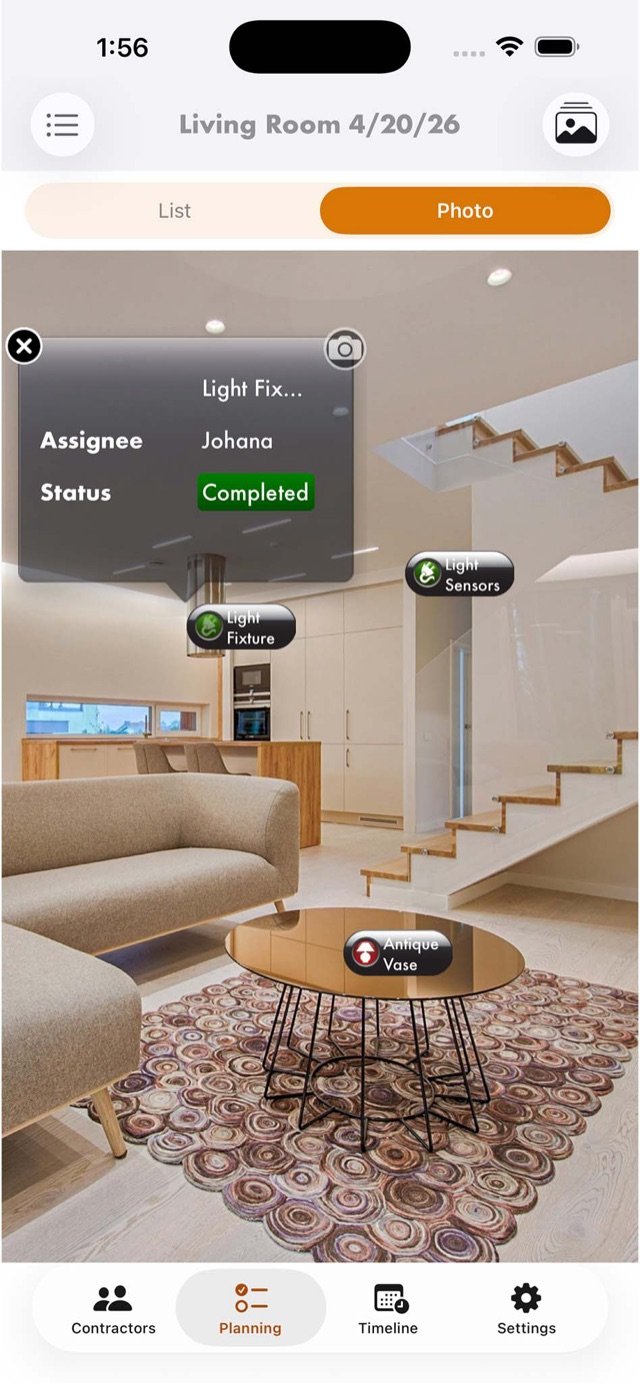
Place tasks, furniture and design elements directly onto photos of your space — every pin is a real task with an assignee and status.
- Visualize layouts in your actual rooms
- Drag-and-drop floor planning + AR view
- Track completion right on the photo
Your whole crew, one tap away
Store quotes, compare contractors and track confirmations and payments — then contact anyone via call, text or FaceTime without leaving the app.
- Quotes & estimates side by side
- Confirmation & payment status per provider
- Call, text or FaceTime in one tap
Materials & money, under control
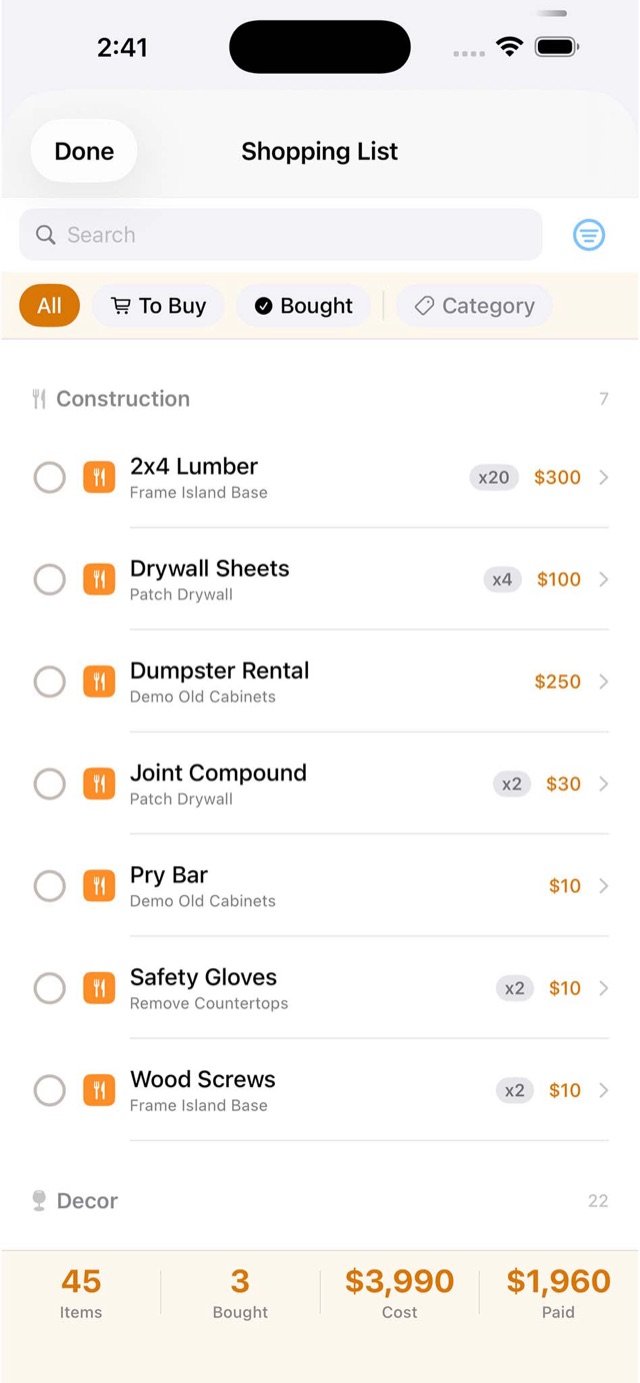
Plan costs, track estimates against actuals, and keep a materials list organized by category — from lumber to light fixtures.
- Estimates vs. actuals at a glance
- Materials list with quantities & prices
- Cost and paid totals always visible
One app, every renovation
Run as many projects as you want — each with its own tasks, budget, team and timeline.
Kitchen remodel
Bathroom renovation
Basement finish
Deck & patio
Painting
Landscaping
Garage & storage
New home setup
Every detail, handled
Multi-user collaboration
Share with contractors, partners or family — updates sync instantly across devices.
Task & progress tracking
Know exactly what needs to be done, when, and by whom — in real time.
Reminders & notifications
From ordering materials to final installation — never miss a deadline.
Floor planning
Drag-and-drop layouts to design your space before committing to changes.
Export & backup
Email, print via AirPrint, and securely store all your project data.
Inspiration bookmarks
Save your favorite ideas, products and resources — right where you plan.
Questions, answered
Can I work with my contractors in the app?
Yes — share your project with contractors, partners or family members. Everyone sees updates instantly, and you can contact providers by call, text or FaceTime right from the app.
Is Pro Project Planner free?
The app is free to download on the App Store, so you can start planning right away and see everything it does before spending anything.
How does the AR view work?
Take photos of your rooms, then pin tasks, furniture and design elements directly onto them. Each pin is a live task with an assignee and status, so the photo becomes your visual punch list.
Can it keep me on budget?
Plan costs up front, then track estimates against actual spending as the project progresses — materials, labor and rentals all roll up so surprises don't happen.
What does the AI planner do?
Answer a few questions about your project — it asks smart follow-ups about plumbing, electrical and deadlines — and generates a complete task list and timeline in seconds, fully editable.
Your dream home starts here.
Download free and turn your ideas into reality — without the stress.

On your computer? Point your iPhone camera here to install.
 Featured by Apple · Free download · iPhone & iPad